How to Finish a Website You Started With AI
A practical way to finish, repair, or rethink an AI-generated website without throwing away what's already working.
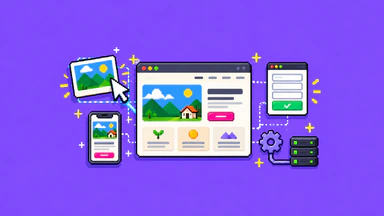
It's surprisingly easy to get a website started with AI. Describe your business, ask for a layout, make a few changes, and suddenly you have something that looks close to finished.
Then you try to put it online.
The contact form is a mystery. The phone layout looks different from the preview. You're not sure whether you own the files, or why connecting a domain involves three settings you've never heard of. The first 80 percent was fun. The rest has become a weekend project that keeps finding new weekends.
You can often finish an AI-generated website without starting over. First, work out what you have access to, what the website needs to accomplish, and which parts are genuinely unfinished. A promising draft and a dependable business website aren't quite the same thing.
First, find out what you actually built
“Made with AI” could mean a screenshot from a chat, a working project in a hosted builder, exported HTML, or a site that's already public. Those are very different starting points.
Before editing anything else, gather the project or preview link, any code repository or export, and the account that controls your domain. Check whether the platform lets you edit the site, export the underlying work, and publish it somewhere else if necessary. Some tools make this straightforward. Others come with limitations or require more technical work than the preview suggests.
You don't need to understand every file yet. You do need to know where the website lives and who has control of it. Keep passwords and API keys out of screenshots, shared documents, and public contact forms.
Follow the most important customer journey
Imagine a small landscaping business with a very respectable AI-generated homepage. It has a beautiful photo, a list of services, and a big “Get a Quote” button. Click the button and it opens a form. Submit the form and a cheerful confirmation appears.
Where did the request go?
That's a hypothetical example, but it's the right kind of question. If a customer is supposed to request a quote, the job isn't done until an authorized test inquiry reaches the right place and someone knows how to respond. If customers are supposed to book appointments or buy a product, test that complete path instead.
Don't start with the animations. Start with the one thing the website needs to do for your business, then try doing it as a first-time visitor. Our article on the work that continues after a mockup explains why the visible design is only part of that experience.
Decide what to keep, fix, or replace
An AI-generated site can contain perfectly usable work alongside things that need attention. Sorting those apart is more helpful than declaring the whole project either finished or broken.
- Keep: Clear service descriptions, useful images you have rights to use, a layout that works on phones, or a design direction you genuinely like.
- Fix: Incorrect links, unfinished text, awkward spacing, missing contact details, a form that isn't connected, or domain settings that still need configuring.
- Replace or rebuild: Parts that can't be maintained safely, important functionality you don't control, or systems that can't support the business's actual requirements.
You may be able to keep the content and visual direction while changing the technical foundation. You may also discover the foundation is fine and just needs a handful of repairs. That's a much better starting point than paying to recreate everything. For an existing live site, see when a redesign makes sense and when a few fixes are enough.
Make sure it works outside the preview
A builder preview is useful, but it can't substitute for testing the actual published experience. Check the site on a real phone as well as a desktop. Open the menu, follow the key links, use the form, and confirm what happens after submission. Try keyboard navigation and look for unreadable text or controls that are difficult to use.
For search visibility, make sure important pages have sensible titles, headings, readable copy, and working links. Check that pages intended for search can actually be crawled and indexed. Google's SEO Starter Guide is a useful starting point; none of those checks guarantees a ranking.
If the project involves payments, customer accounts, personal information, or complex integrations, the review needs to go further. Those aren't features to declare production-ready because the demo appears to work.
Plan for the day after launch
A website also needs an owner and a way to change. Who controls the domain? Where are inquiries delivered? What are the recurring hosting or platform fees? How would you restore a broken version? Can you update your services without returning to the original AI conversation?
Those aren't reasons to abandon AI tools. They're ordinary website responsibilities that still exist when AI helps with the first build. If being able to make everyday changes matters to you, the next question is whether you can actually update your own website.
You don't need to throw away a good start
An AI-built website may need only focused finishing work, or it may need a more substantial rebuild. The sensible choice depends on what you have, what you control, and what visitors need to accomplish.
If you've got a promising website stuck somewhere between “looks done” and “actually works,” tell DOT ROSI what you've started. A preview link and a short explanation of what's missing are enough to begin figuring out the next move.
Your website, handled
Need a website that keeps up?
Bring the project, the problem, or the next thing that needs attention.
Start a conversation